A siren at full volume
A loud, piercing sound and the screen at maximum brightness. Thieves look for a bag nobody is watching. The noise makes everyone look.
 Bag Guard
Anti-theft alarm for iPhone and iPad
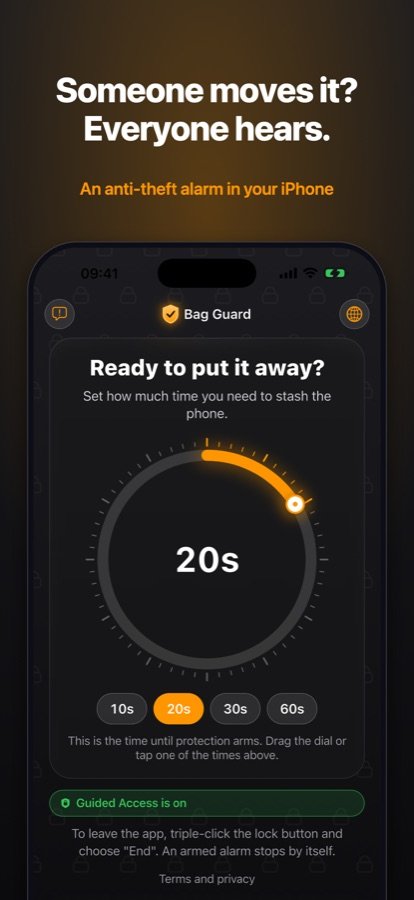
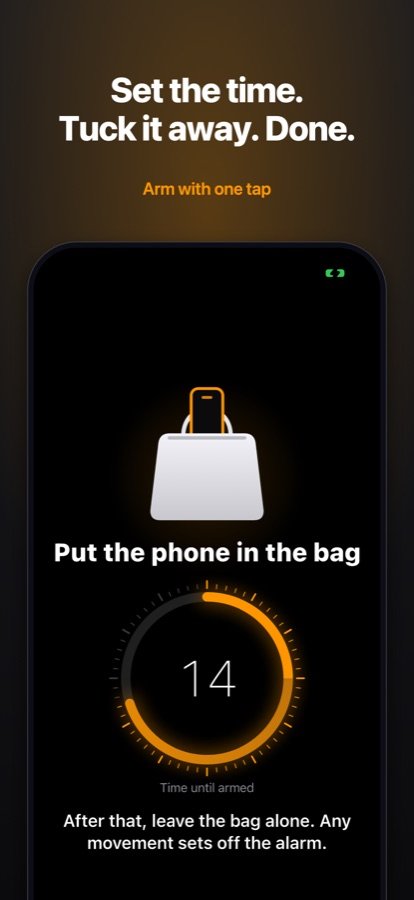
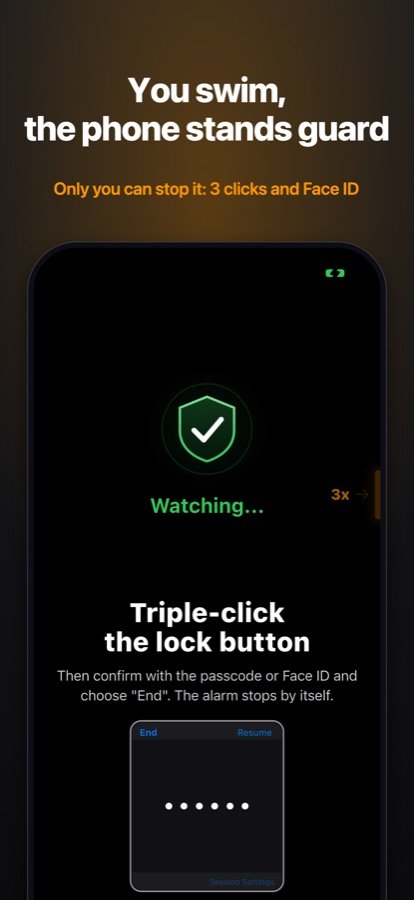
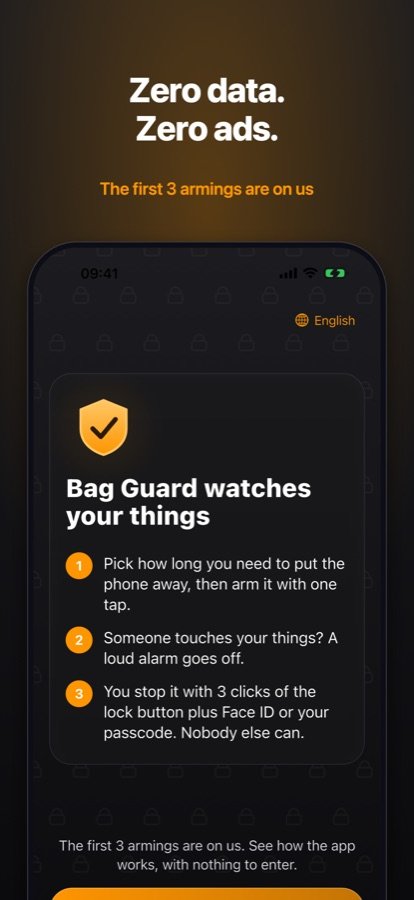
Put your iPhone in your backpack, arm it with one tap and go for a swim. When someone picks the bag up, the phone warns first, then plays a siren at full volume and lights up the screen for the whole beach to see.
First 3 armings free, no card needed. iOS 15 or later.
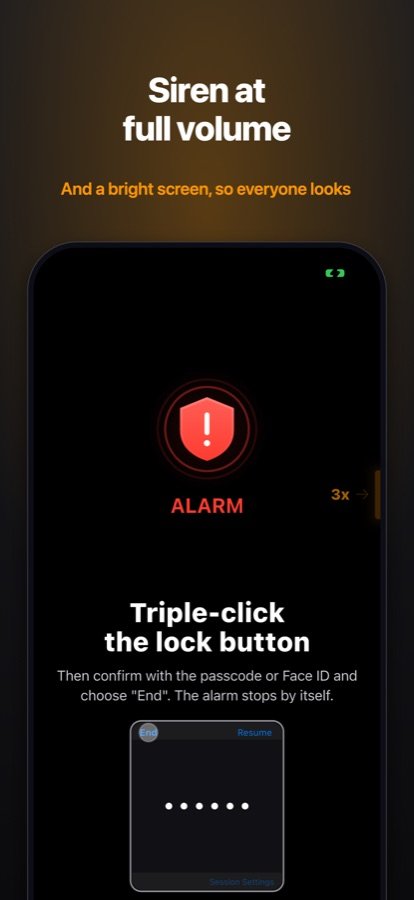
A loud, piercing sound and the screen at maximum brightness. Thieves look for a bag nobody is watching. The noise makes everyone look.
A single bump gets a few seconds of warning, and once the motion stops the phone goes back to guarding. A fourth movement within 30 seconds sets off the siren straight away.
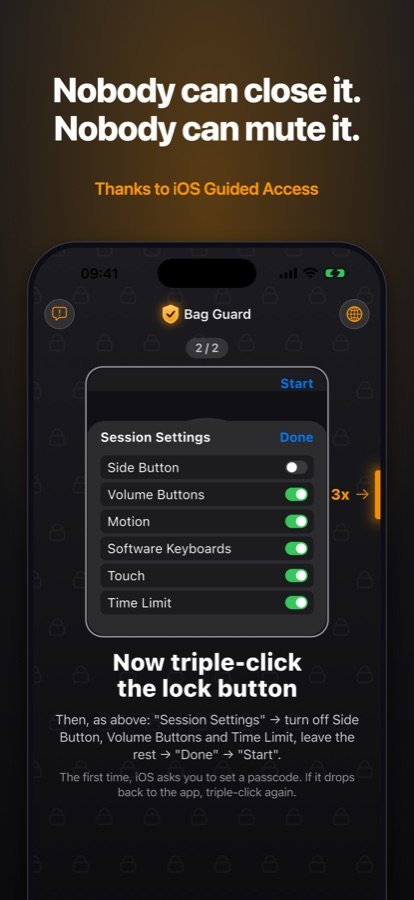
Guarding runs inside Guided Access, built into iOS. The volume buttons and the side button do nothing, and the app cannot be closed.
Three clicks, Face ID, done. Click during a warning and the app adds 10 seconds so you have time to unlock.
Earbuds, a helmet intercom or CarPlay would take the siren away. The app checks before arming and asks you to switch the sound to the phone’s speaker.
Before arming it checks the volume is at maximum, and warns you when the battery is low or the phone got hot in the sun.
The instructions show the button where it is on your device: on the side of the iPhone, the Home button, or the top of the iPad.
No account, no ads, no tracking. The motion sensors run only while guarding, and their readings never leave the phone.
The app speaks English, Polish, German, Spanish, French, Italian, Portuguese, Russian, Chinese and Arabic.
On a bus, a train or a boat, the rocking alone can set off the alarm. Keep the bag on your lap there.
Bag Guard guards only inside Guided Access, a mode built into iOS. You turn it on once. The app shows it with animations, and here is the whole thing in order:
Apple Pay popped up? That was 2 clicks, or too slow: try again, 3 quick clicks. If Apple Pay shows up again, Guided Access is not on yet: go back to “Once, in Settings”.
Try it first. The first 3 armings are on us, with no card and no trial to cancel.
24 hours of protection. Pay once, nothing renews.
For a holiday. A subscription that renews every week.
A subscription that renews every month.
At least 80% cheaper than paying monthly, in every country. Renews every year. 3 days free for new subscribers.
You see prices in your currency in the app before you buy. Cancel in your iPhone’s Settings or with one button in the app, at least a day before renewal. Payments and refunds are handled by Apple.
It will not stop someone determined, just like a car alarm does not. It deters, because thieves go for things nobody is watching, and the siren makes everyone around look. For the worst case, turn on Find My as well.
In Guided Access the side button and volume buttons do nothing, so a normal shutdown is out. A forced restart with a button combination still works, but that means taking the phone out of the bag, and by then the siren has been going for a while.
During a Guided Access session the iPhone cannot make emergency calls or use Crash Detection. That is how iOS works. End the session with three clicks before you might need them, and near water keep an eye on people, not only on the bag.
The app will not arm while the sound goes to headphones. It shows how to switch it back to the iPhone. If you allow microphone access, the siren moves itself to the phone’s speaker even when headphones connect later. Nothing is recorded.
No. iOS does not let an app guarding in the foreground send those alerts. The siren works on the spot, and that is the point: getting the attention of the people next to your bag.
The screen stays on, dimmed, for the whole time it guards, so the battery drains faster than in your pocket. At 20% or less (not charging) the app warns you before arming.
iPhone Settings → your name → Subscriptions → Bag Guard, or the button on the “Your protection” screen in the app. Protection lasts until the end of the paid period. Deleting the app does not cancel the subscription.
On your phone, tap the button. On a computer, scan the code with your iPhone camera.